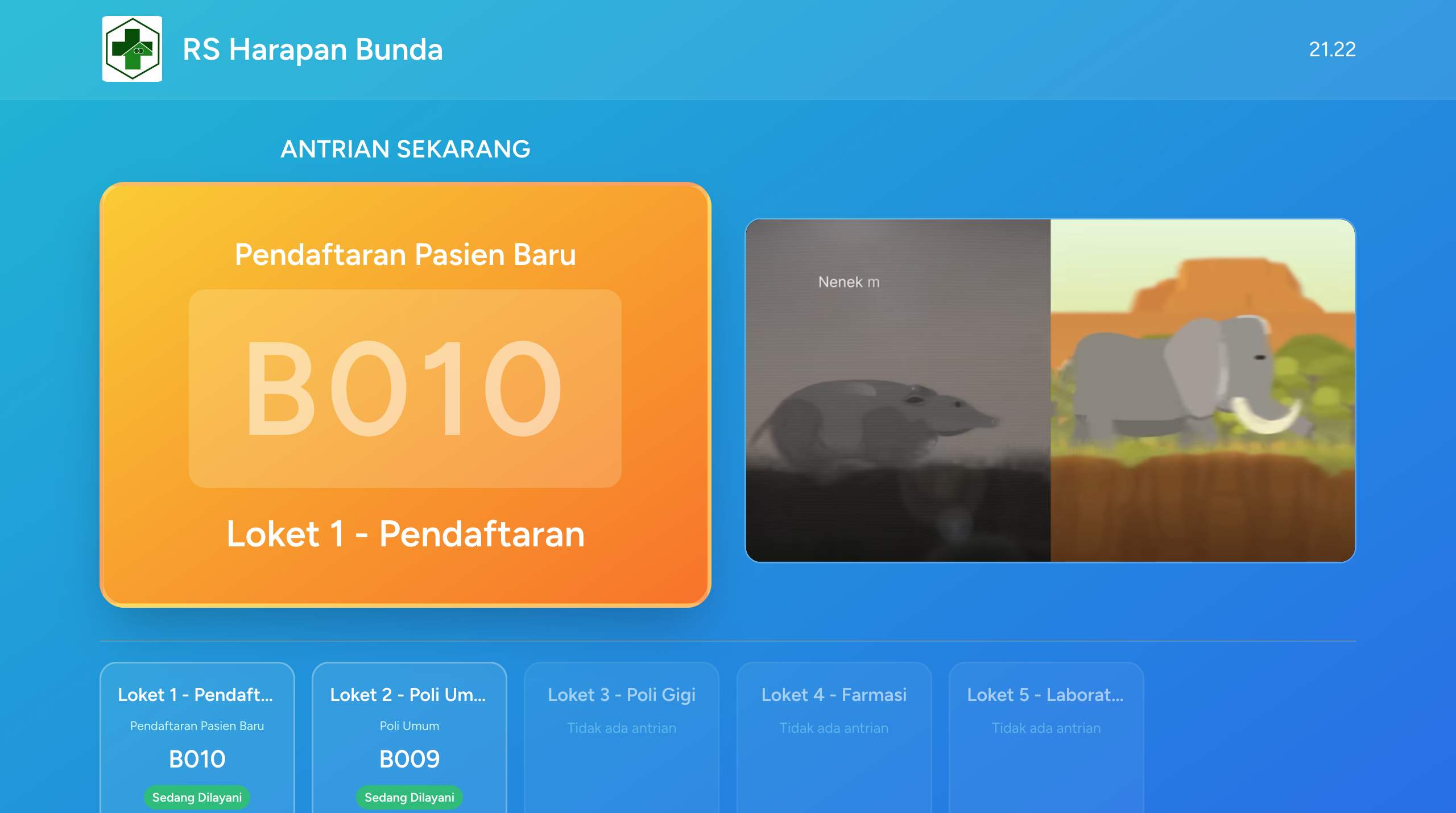
🏥 Z Health Queue - Smart Queue Management System
A modern web-based queue management system specifically designed for hospitals, clinics, and public service institutions. Built with real-time technology to provide an efficient and organized queue experience.
🎯 Overview
Z Health Queue is a multi-tenant SaaS (Software as a Service) solution that enables various organizations to manage their queue systems independently within a single platform. The system combines real-time updates, voice announcements, and thermal printing to create a seamless queue experience.
📸 Screenshots
Dashboard & Main Interface
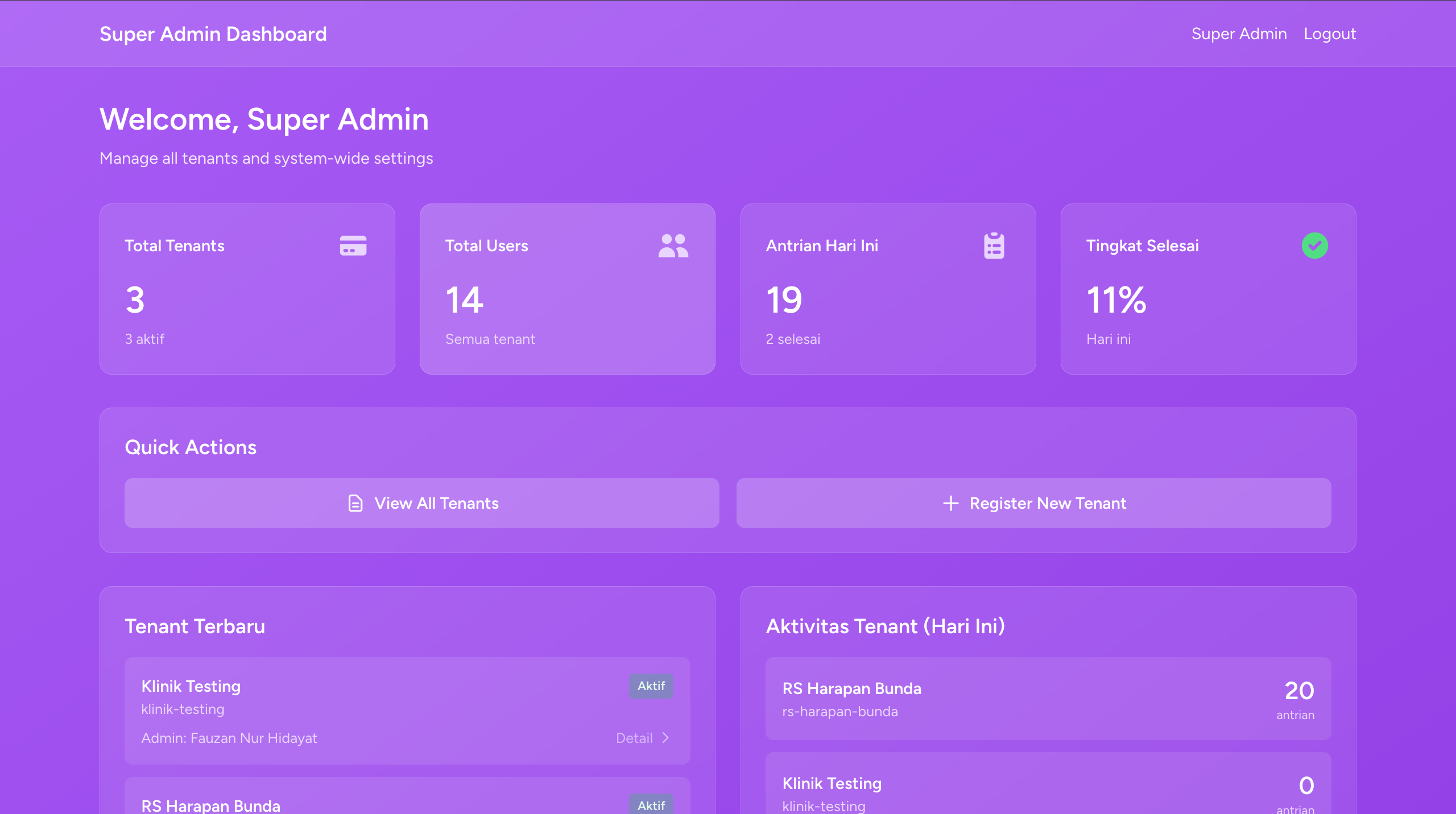 Super Admin Dashboard - Queue Overview & Statistics
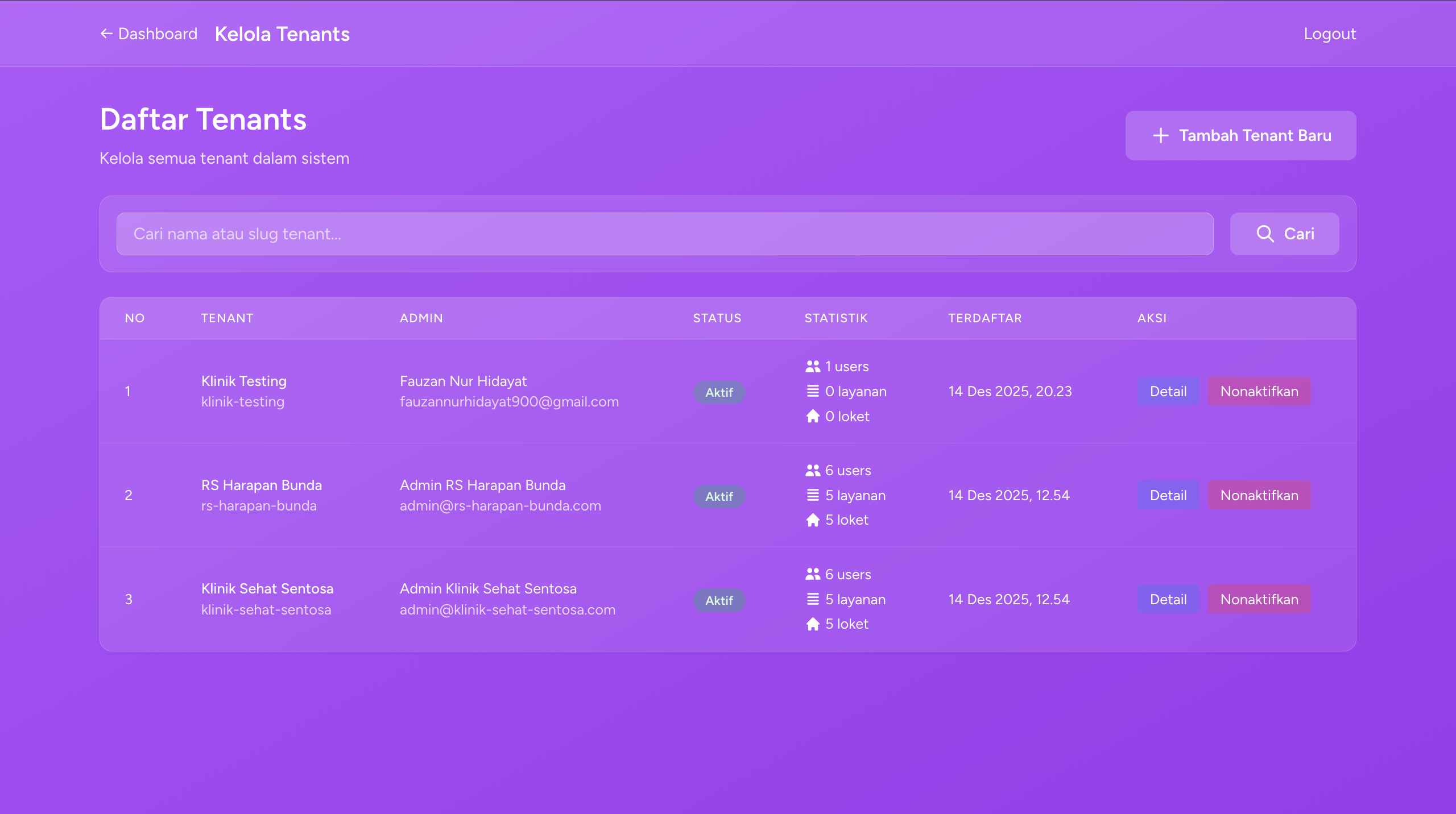 Tenant Admin Dashboard - Tenant Management
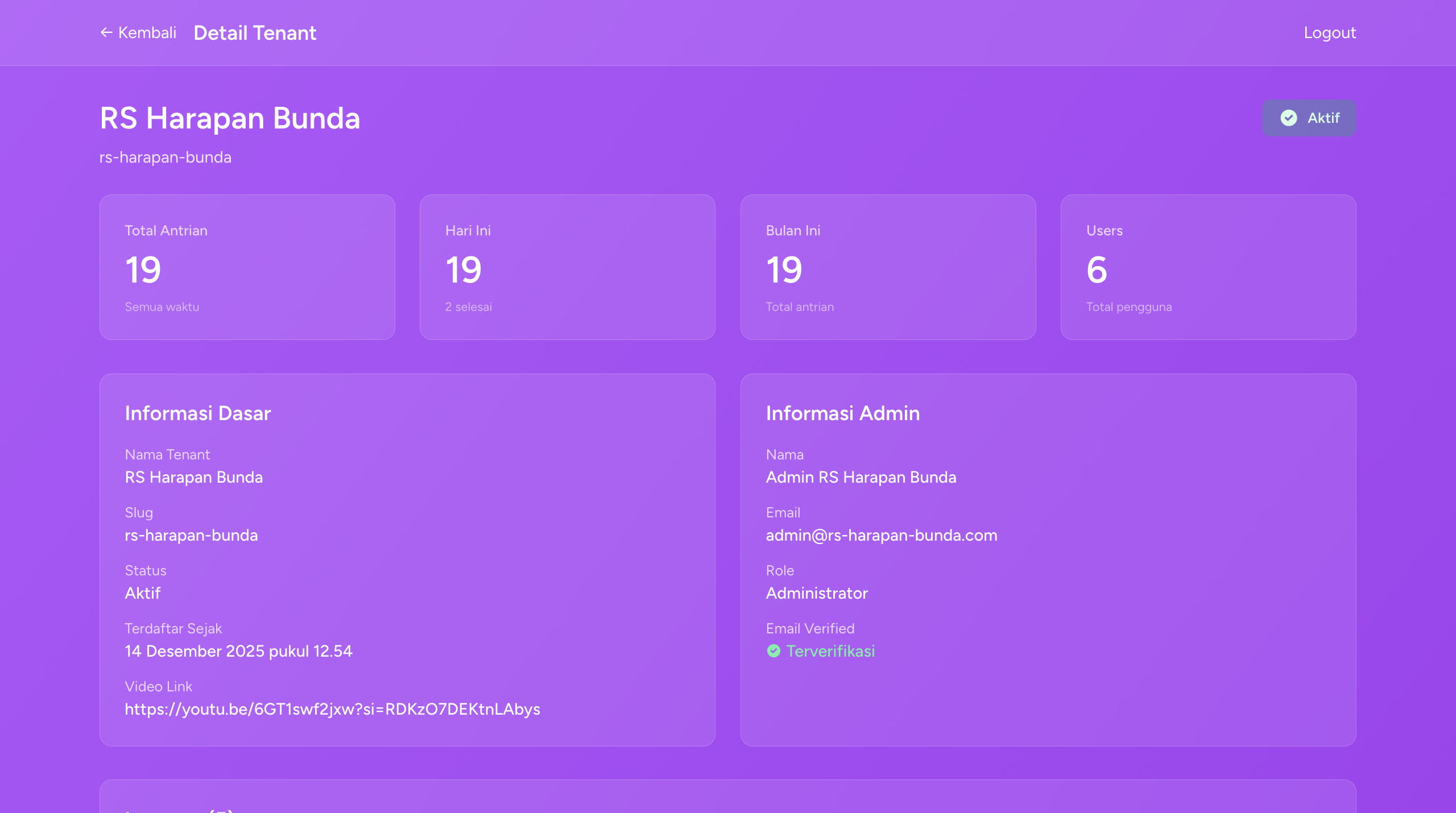 Operator Dashboard - Queue Management & Control
Kiosk & Display Modes
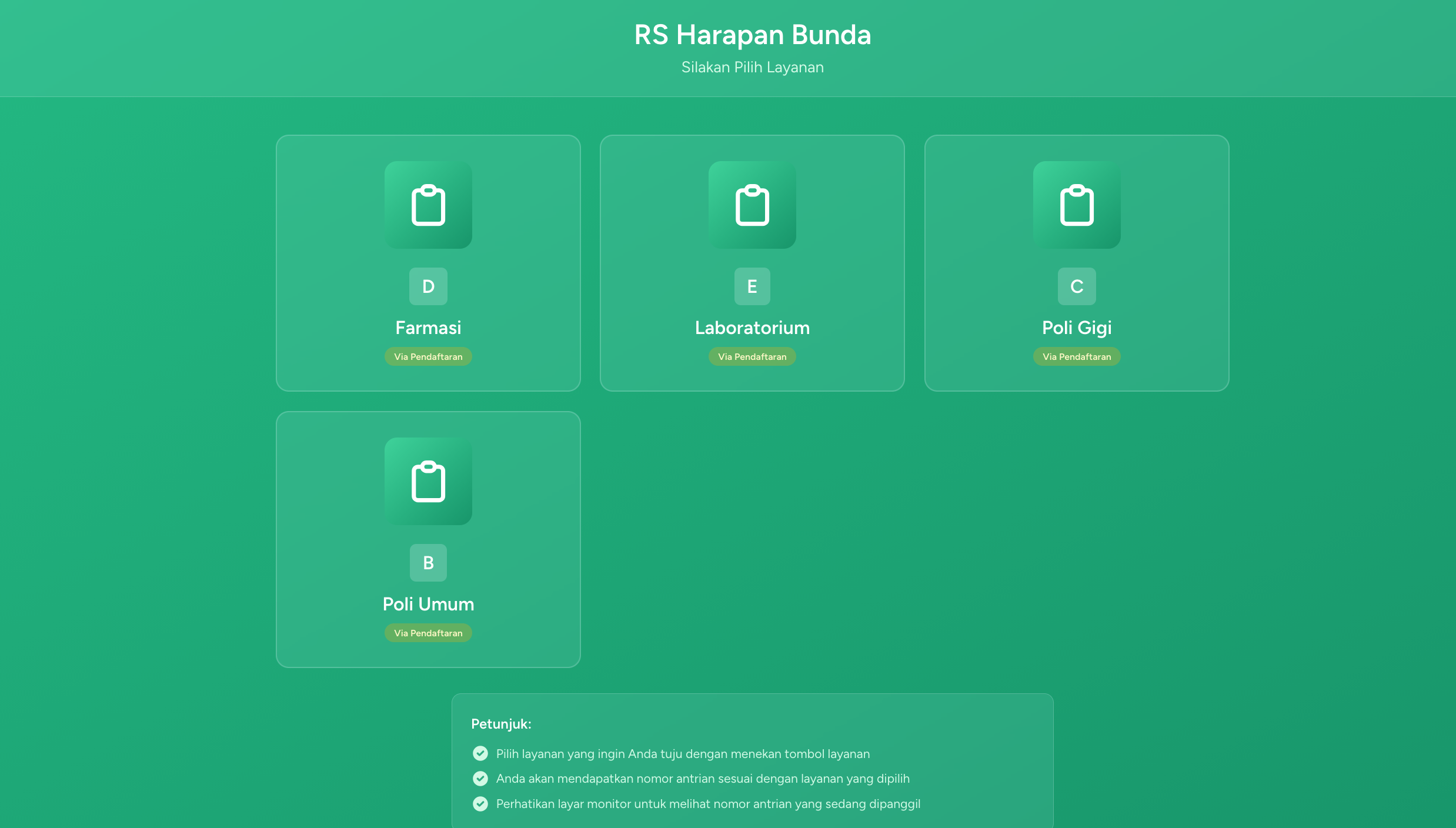 Kiosk Mode - Self Service Check-in
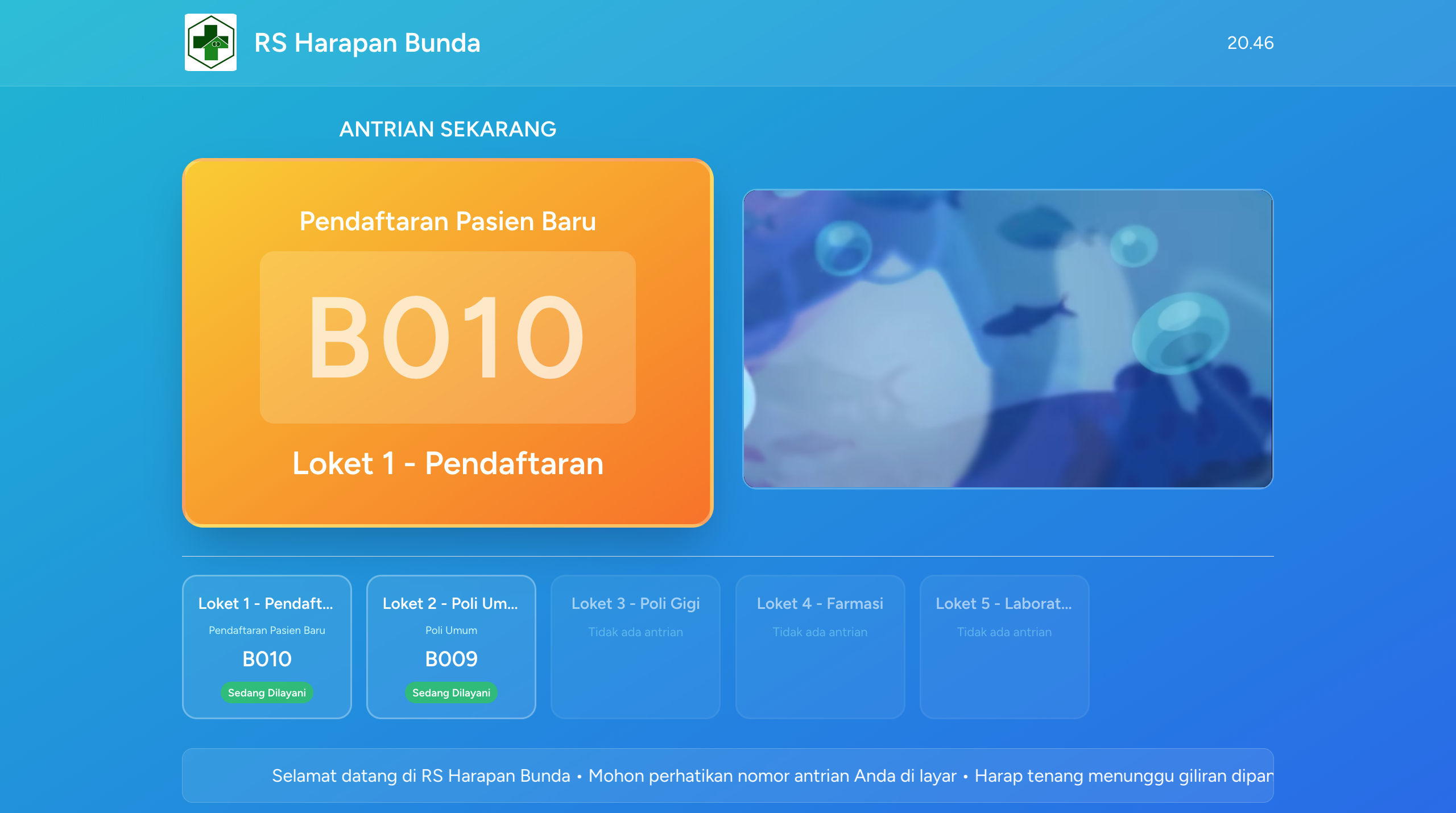 TV Display Mode - Real-time Queue Monitor
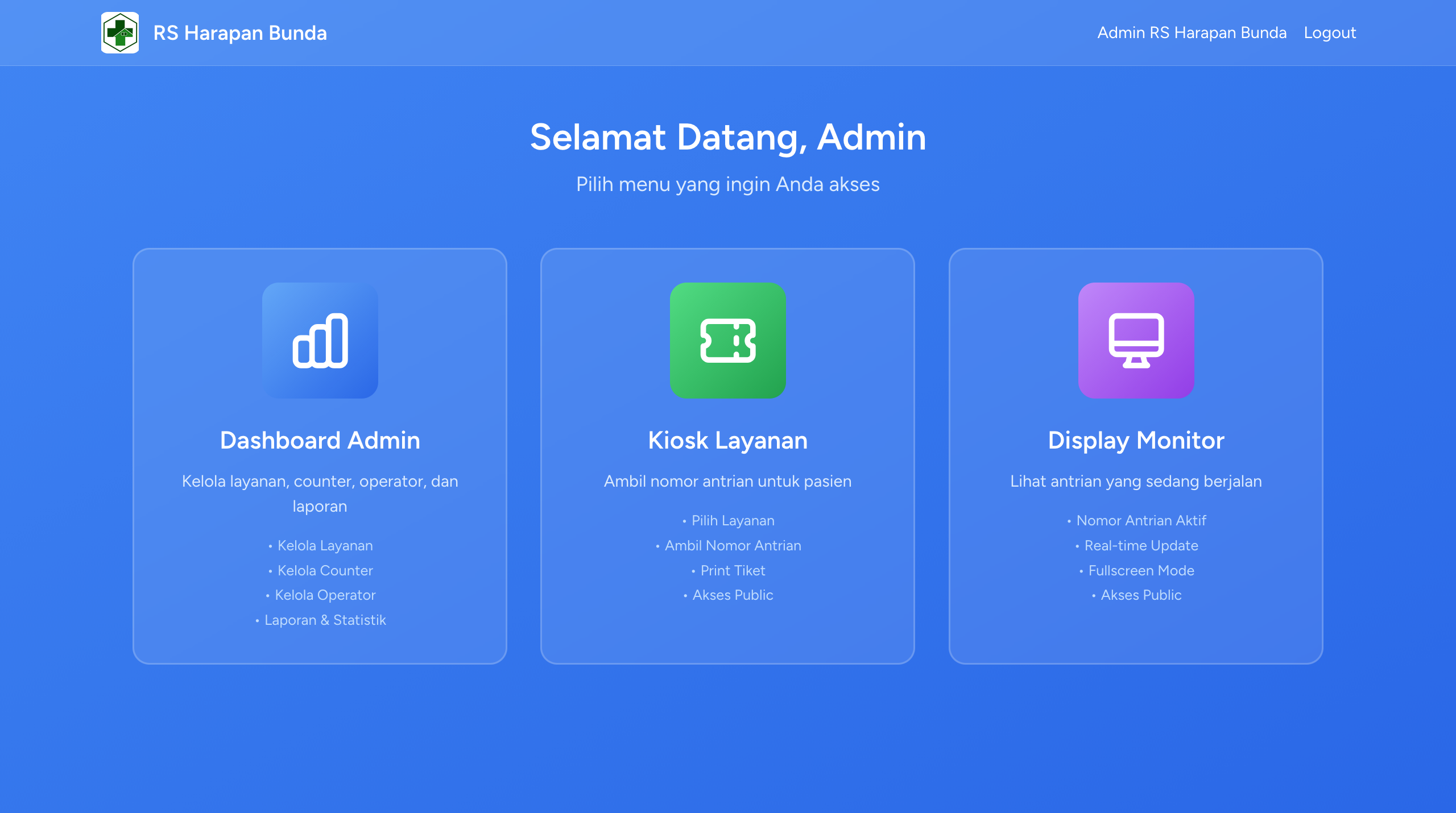 Service Selection Screen
Queue Management
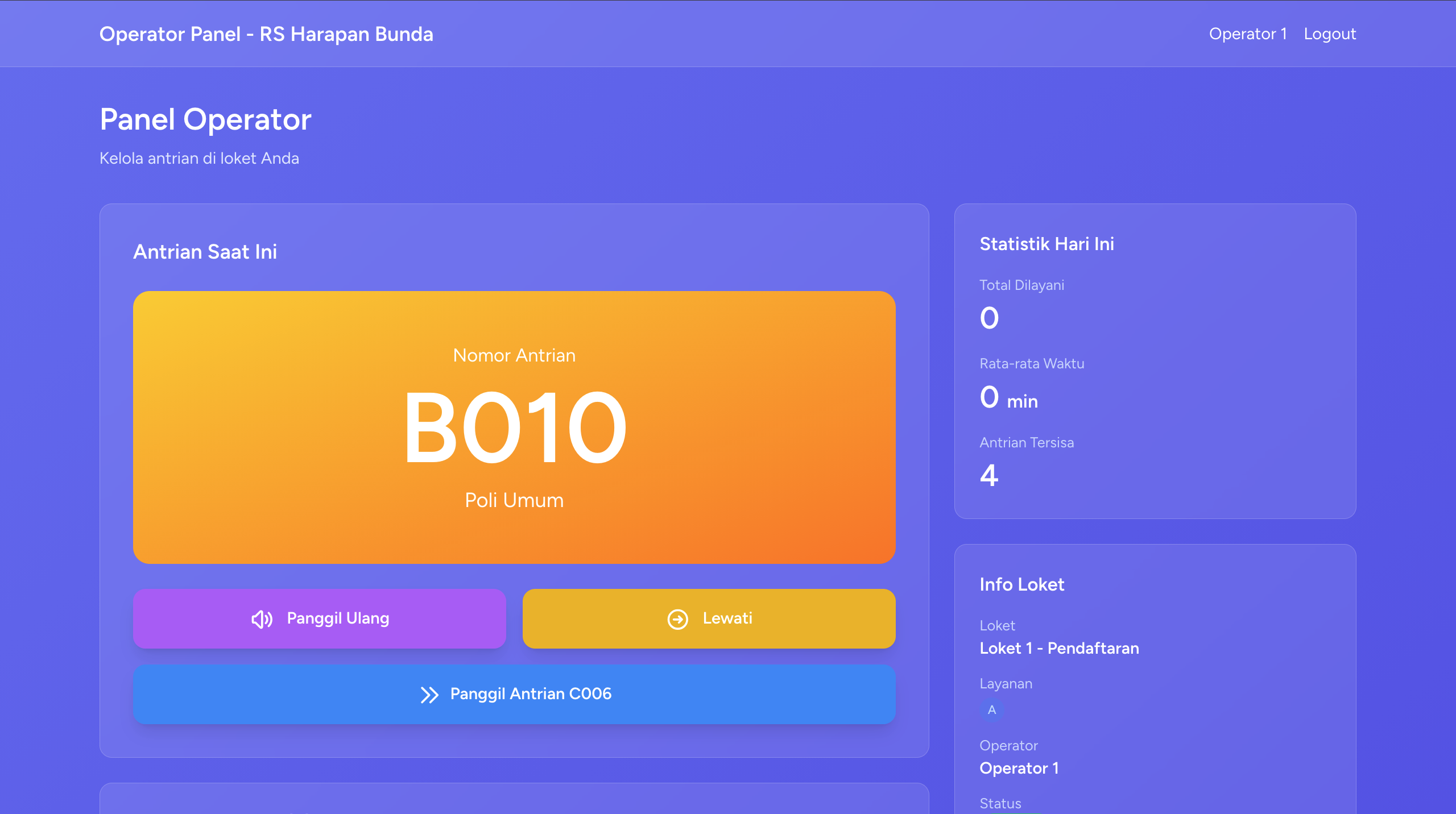 Operator Calling Next Queue
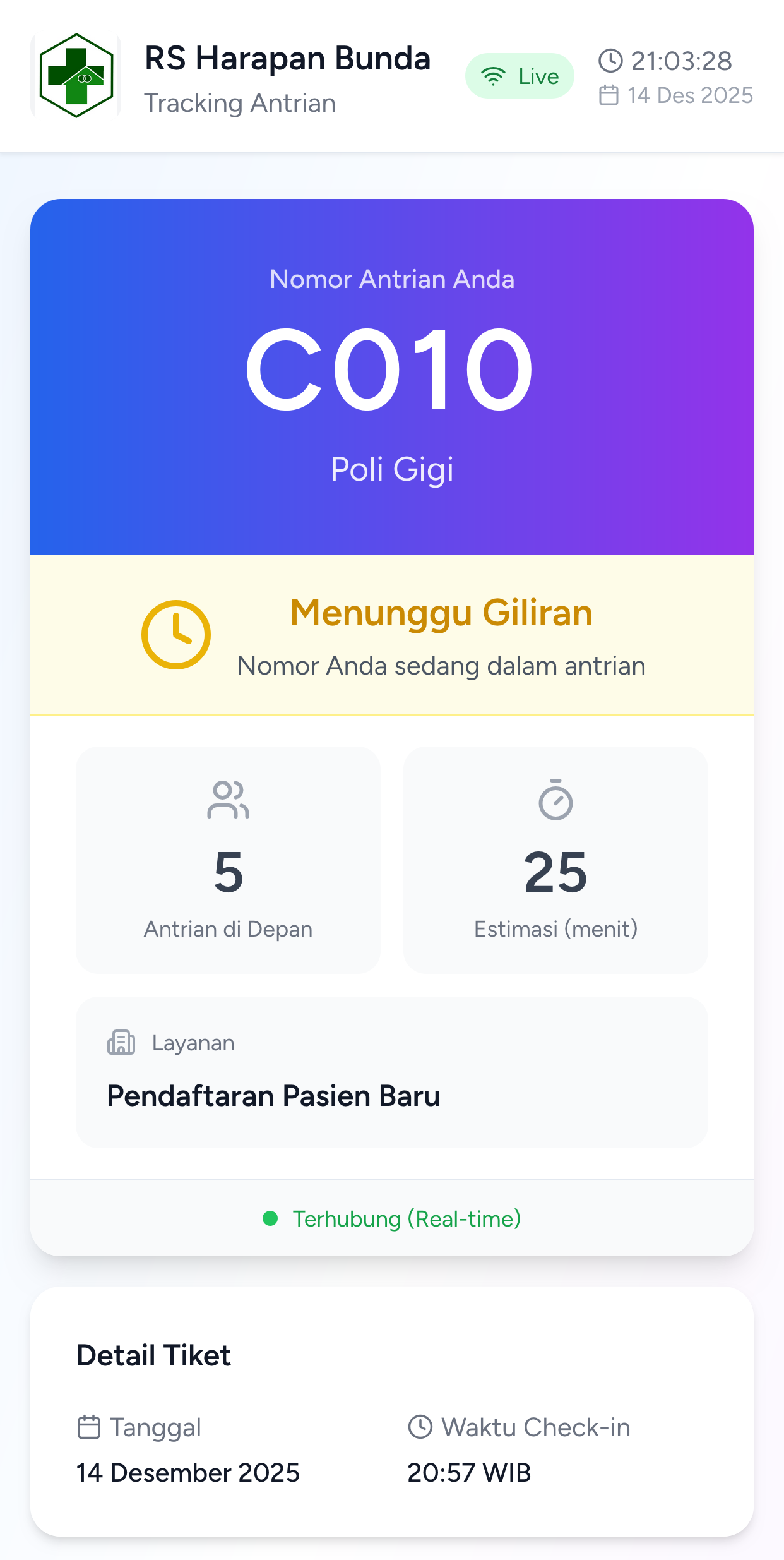 Serving Customer
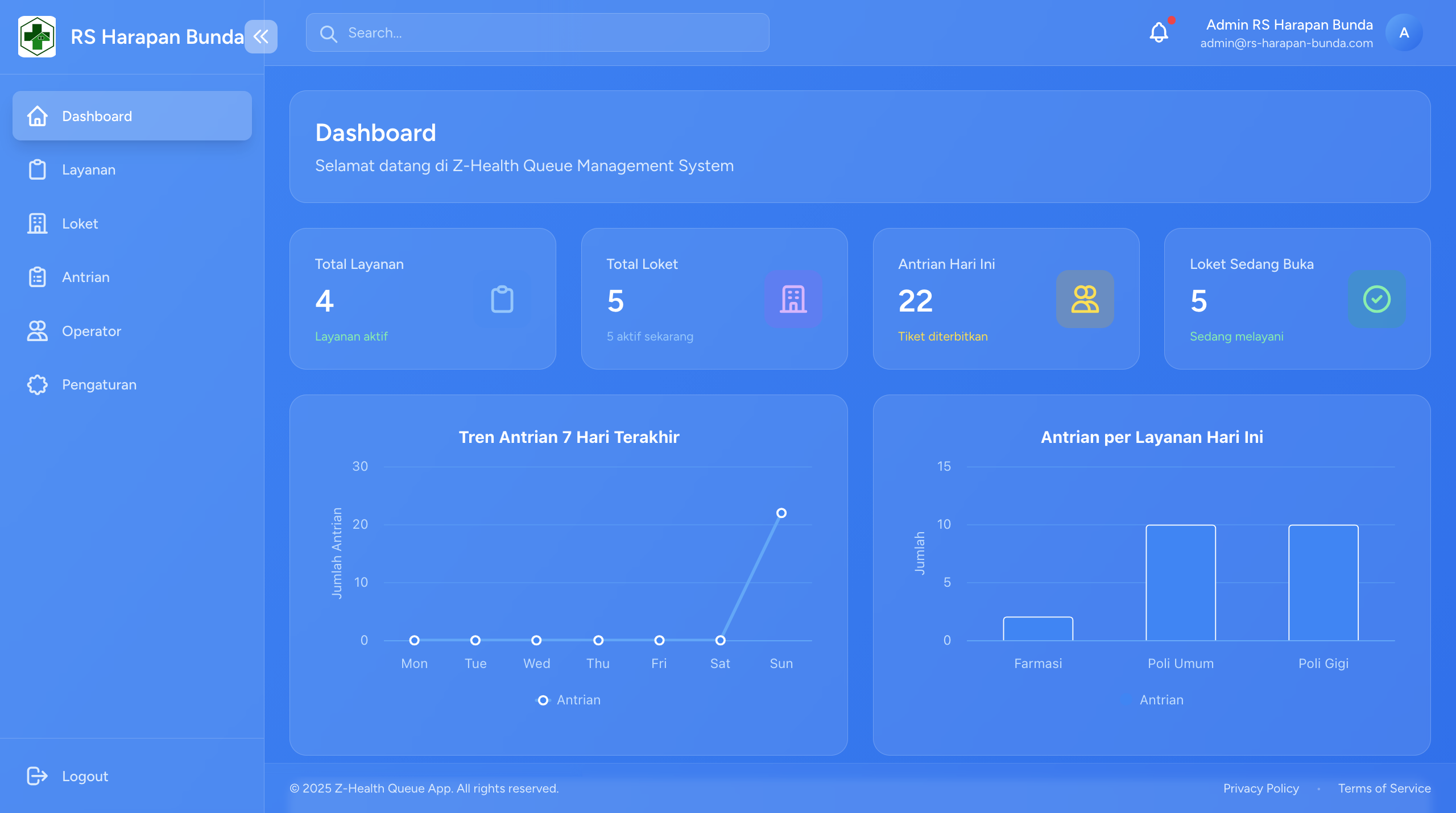 Real-time Queue Statistics
Admin Features
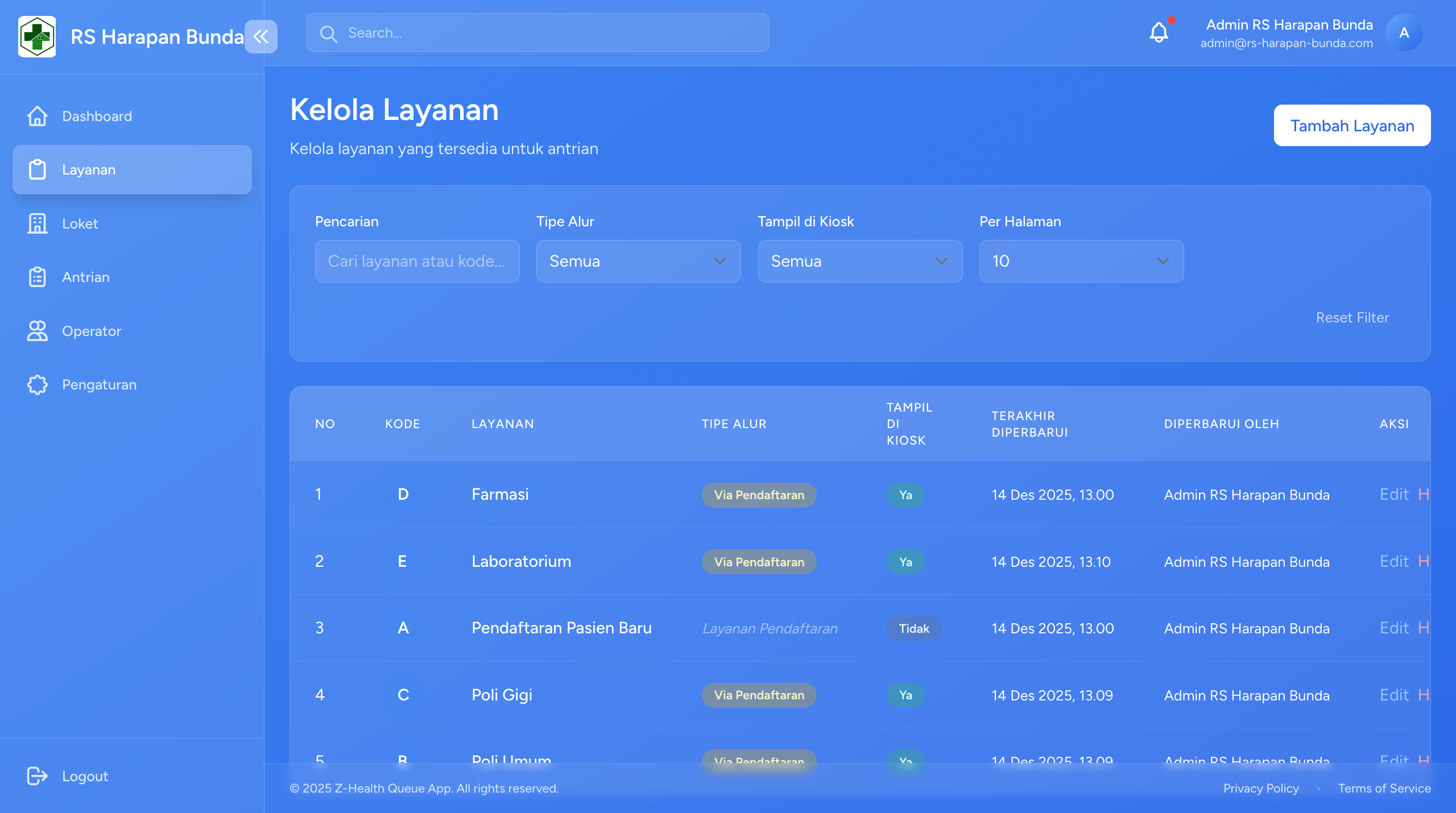 Service Management Interface
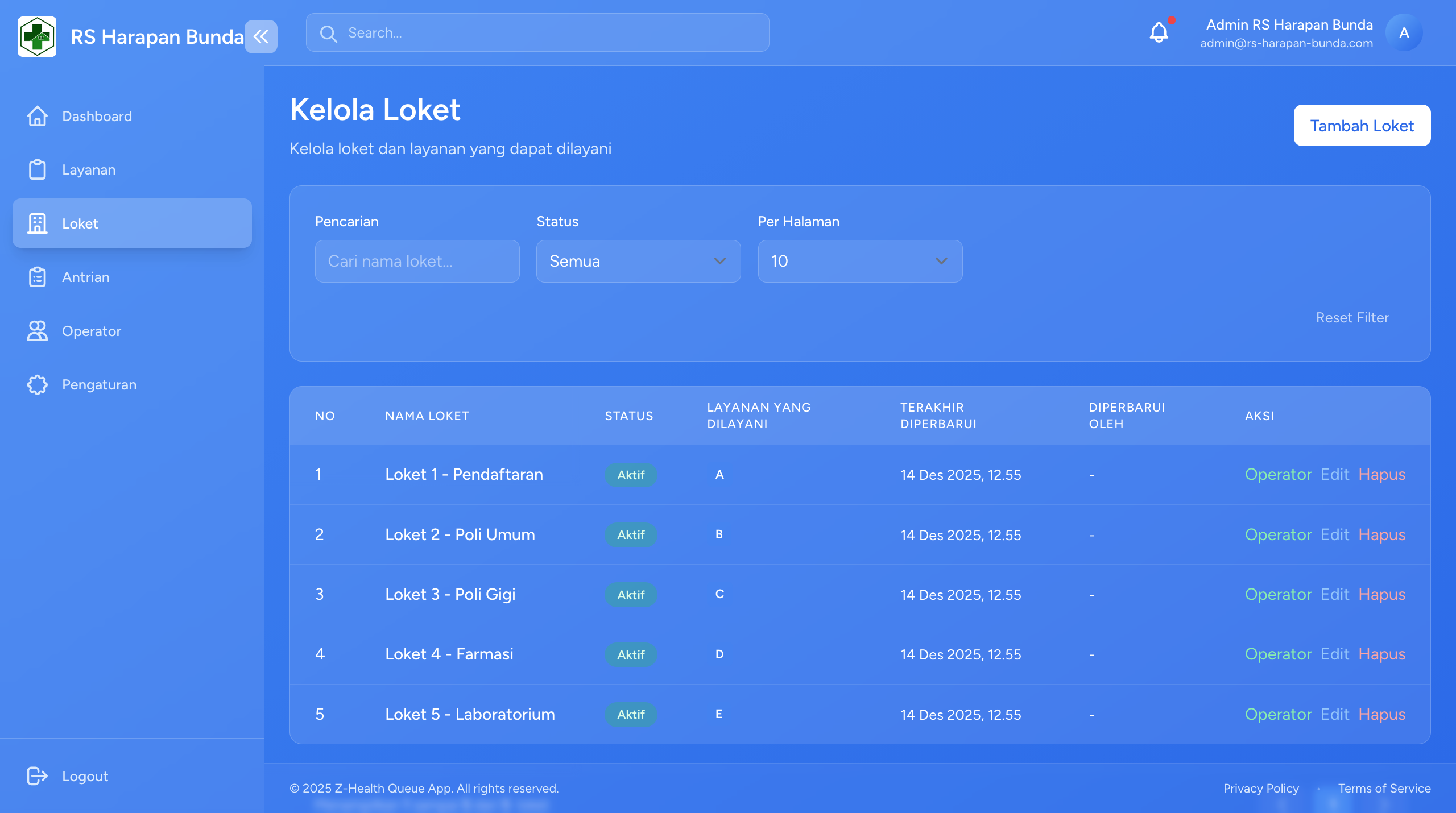 Counter Management & Assignment
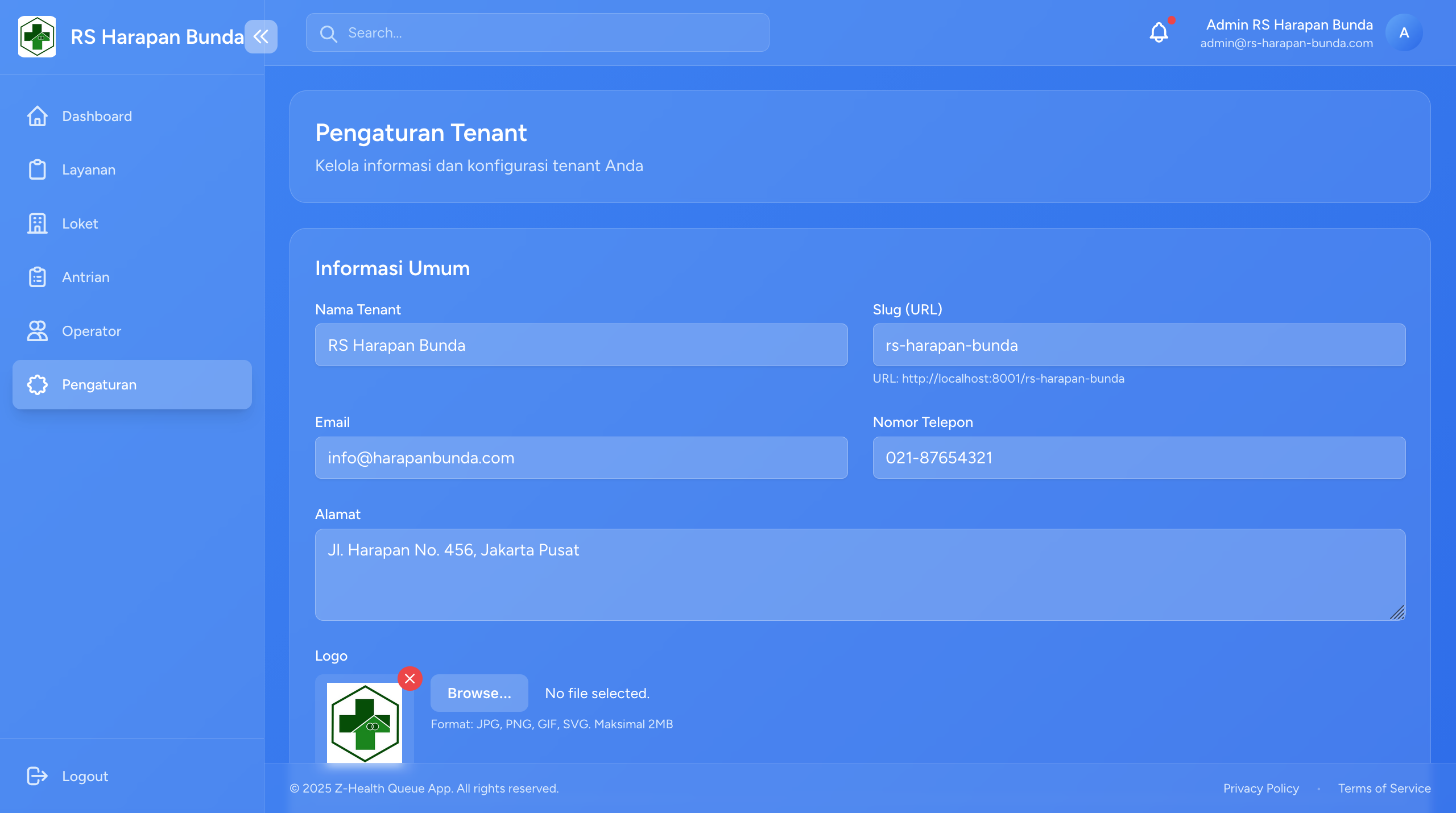 Tenant Configuration & Settings
Ticket & Print
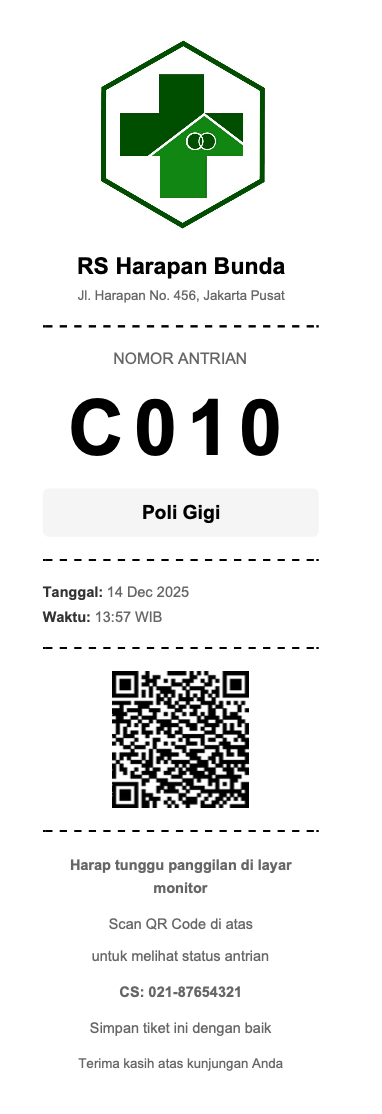 Thermal Printed Ticket with QR Code
Authentication
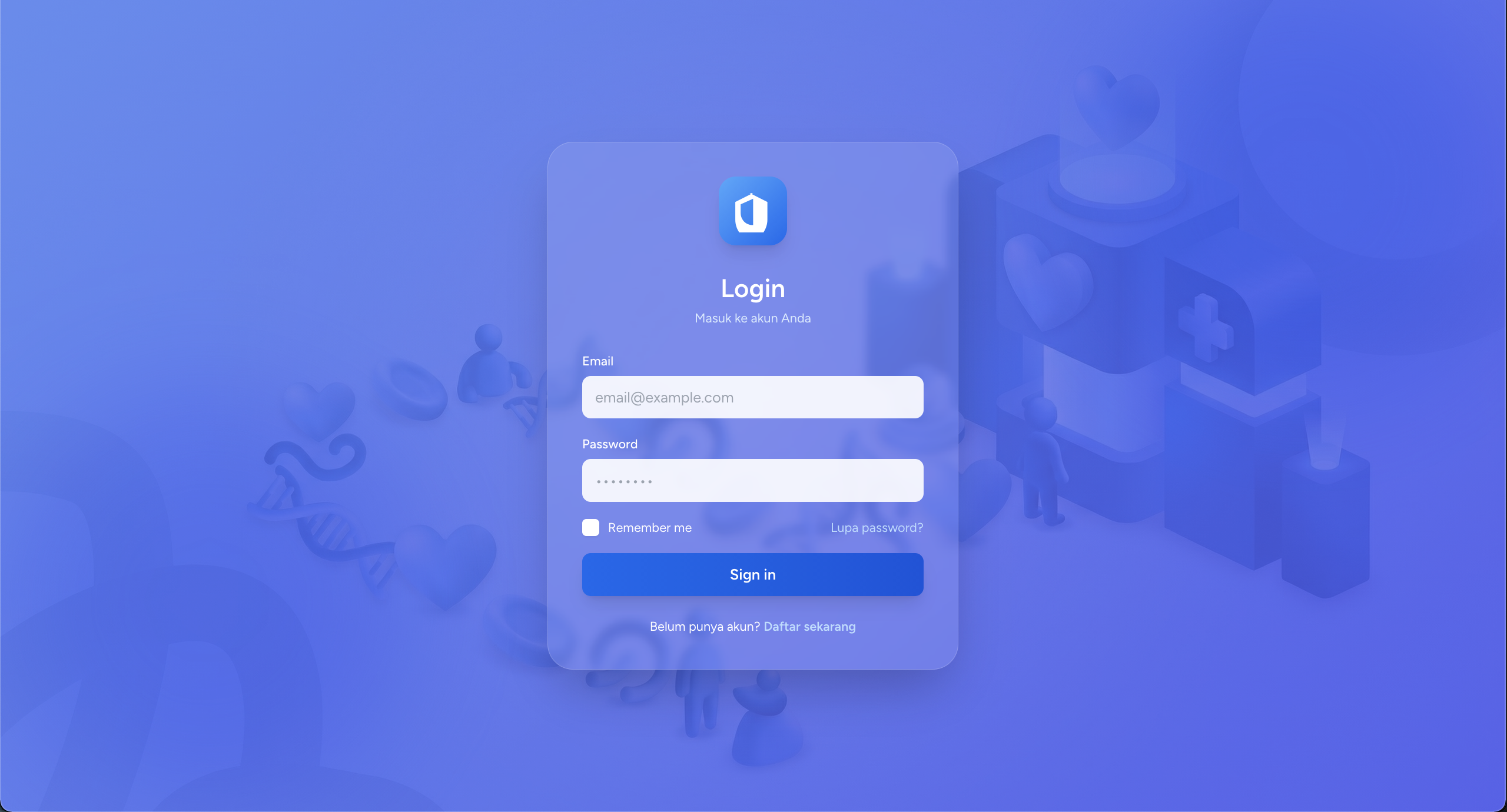 Login Interface
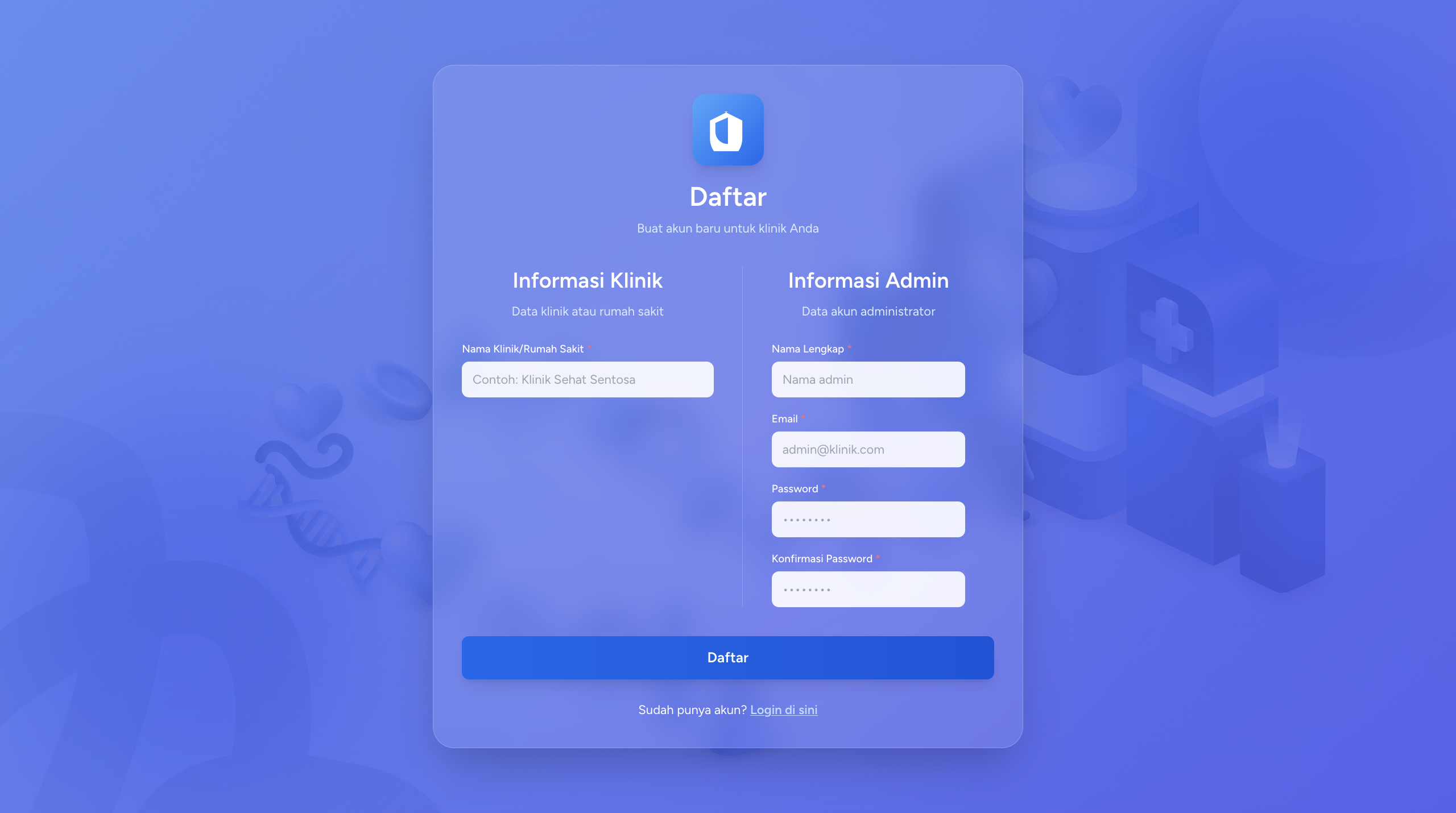 Registration Interface
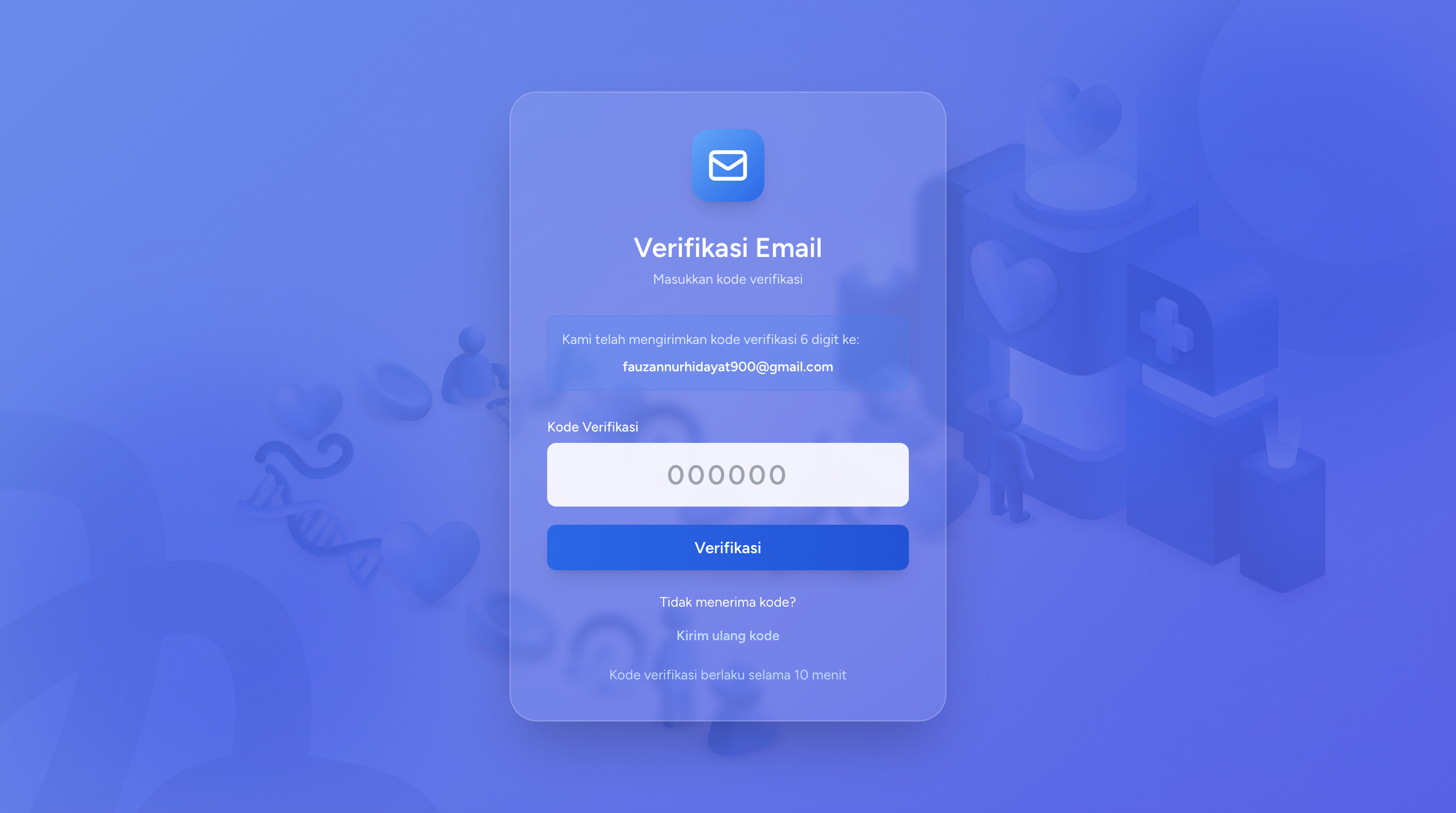 6-Digit Email Verification Code
✨ Key Features
🚀 Core Features
1. Real-time Queue Management
- WebSocket Integration: Uses Laravel Reverb for real-time updates without delay
- Live Queue Updates: Queue status changes are instantly visible on all displays
- Multi-Display Support: Automatic synchronization between kiosk, TV display, and operator dashboard
- Zero Refresh: No need to reload pages to see the latest updates
2. Multi-Tenant SaaS Architecture
- Isolated Data: Each tenant has separate and secure data
- Custom Branding: Tenants can customize their logo and organization information
- Tenant Slug System: Unique URL for each tenant (e.g.,
/rsud-jakarta/kiosk) - Flexible Configuration: Each tenant can configure services and counters according to their needs
3. Smart Check-in System
- QR Code Check-in: Patients can check-in using QR code from their ticket
- Manual Check-in: Operators can add patients manually
- Kiosk Mode: Self-service check-in for patients
- Priority Queue: Priority system for emergency cases or elderly patients
4. Voice Announcement System
- Text-to-Speech: Automatic announcements when queue numbers are called
- Multi-language Ready: Ready to support multiple languages
- Customizable Audio: Can be customized according to organization needs
- Volume Control: Volume settings from operator dashboard
5. Thermal Print Integration
- Auto Print: Automatic ticket printing after check-in
- Multiple Sizes: Supports 58mm and 80mm thermal printers
- QR Code Included: Each ticket has a unique QR code
- Customizable Template: Ticket layout can be customized
6. Email Verification System
- 6-Digit Code: Email verification with 6-digit code during registration
- Secure Authentication: Prevents fake accounts and spam
- Auto-resend: Feature to resend verification code
- Expiration Time: Codes have expiration time
🎯 Advanced Features
1. Role-Based Access Control (RBAC)
- Super Admin: Manages all tenants and system
- Tenant Admin: Manages services, counters, and operators within tenant
- Operator: Manages queues at specific counters
- Flexible Permissions: Extensible role system
2. Multiple Display Modes
Kiosk Mode
- Self-service check-in for patients
- Touch-screen friendly interface
- QR code scanner integration
- Auto-print ticket
TV Display Mode
- Large screen display for waiting rooms
- Real-time queue updates
- Multi-service view
- Auto-refresh and reconnection
Operator Dashboard
- Call next queue button
- Serve and complete actions
- Queue statistics
- Counter session management
Admin Dashboard
- System overview and analytics
- Service and counter management
- Operator assignment
- Reports and statistics
3. Queue Status Management
- Waiting: Patient has checked-in, waiting to be called
- Called: Number has been called, waiting for patient to arrive
- Serving: Patient is being served
- Completed: Service completed
- Cancelled: Queue cancelled
- No Show: Patient didn't show up after being called
4. Counter Session System
- Start/End Session: Operators can start and end sessions
- Active Counter Tracking: Monitoring of active counters
- Queue Assignment: Queues automatically directed to active counters
- Session History: Operator work session history
5. Service Management
- Multi-Service Support: Create various types of services (General Practice, Dental, etc.)
- Service Code: Unique code for each service (e.g., A, B, C)
- Queue Number Format: Queue number format per service (A001, B001)
- Active/Inactive Status: Toggle service status
6. Counter Management
- Multiple Counters: Create as many counters as needed
- Counter-Service Assignment: Assign counters to specific services
- Counter Display: Counter information on TV display
- Counter Availability: Real-time available/busy status
🏗️ System Architecture
Backend Architecture (Laravel 12)
Multi-Tenant Implementation
Route Pattern: /{tenant:slug}/...
Middleware: tenant.identify
- Automatic tenant detection from URL
- Data isolation per tenant
- Shared database with tenant_id column
Broadcasting System (Laravel Reverb)
Events:
- QueueUpdated: Broadcast saat ada perubahan antrian
- CounterUpdated: Broadcast saat status counter berubah
- TicketCreated: Broadcast saat tiket baru dibuat

Channels:
- queue.{tenant_slug}: Channel per tenant
- counter.{counter_id}: Channel per counter
Database Design
Main Tables:
- tenants: Organisasi yang menggunakan sistem
- users: Super admin, admin, dan operator
- roles: Role-based access control
- services: Jenis layanan (Poli, Loket, dll)
- counters: Counter/loket layanan
- counter_sessions: Sesi kerja operator
- tickets: Tiket antrian
- queue_entries: Entry antrian per service
Models & Relationships
Tenant → hasMany → Users, Services, Counters, Tickets
Service → hasMany → Counters, QueueEntries
Counter → belongsTo → Service
Counter → hasMany → CounterSessions, QueueEntries
Ticket → hasMany → QueueEntries
QueueEntry → belongsTo → Ticket, Service, Counter, User
Frontend Architecture (Vue.js 3 + Inertia.js)
State Management
- Inertia.js Props: Server-side state passed to Vue components
- VueUse Composables: Reactive utilities untuk WebSocket dan lifecycle
- Local State: Component-level state dengan ref/reactive
Real-time Integration
// Laravel Echo + Pusher.js
Echo.channel(`queue.${tenantSlug}`)
  .listen('QueueUpdated', (data) => {
    // Update UI real-time
  });
Component Structure
Pages/
├── Auth/ (Login, Register, Verify)
├── Admin/ (Super Admin Dashboard)
├── Tenant/
│   ├── Home (Tenant Landing)
│   ├── Kiosk (Self Check-in)
│   ├── Display (TV Display)
│   ├── Operator/ (Operator Dashboard)
│   └── Service/ (Service Management)
UI Components (Shadcn-vue + Tailwind CSS)
- Reusable component library
- Dark mode ready
- Responsive design
- Accessible (ARIA compliant)
📊 User Flow & Workflow
1️⃣ Patient Journey (Kiosk Self Check-in)
1. Patient arrives at kiosk
2. Select desired service (General Practice, Dental, etc.)
3. System generates queue number
4. Print ticket with QR code
5. Patient waits in waiting room
6. Monitor number on TV display
7. Number is called → go to counter
8. Get served → completed
2️⃣ Operator Workflow
1. Login to system
2. Select counter & start session
3. System automatically assigns queue to counter
4. Operator clicks "Call Next" to call queue
5. Voice announcement + display update
6. Patient arrives → click "Serve"
7. Serve patient
8. Click "Complete" to finish queue
9. Repeat steps 4-8
10. End session when finished
3️⃣ Admin Workflow (Tenant)
1. Login as Tenant Admin
2. Setup Services (General Practice, Dental, Pharmacy, etc.)
3. Setup Counters for each service
4. Assign operators to counters
5. Monitor queue statistics
6. View reports and analytics
7. Manage tenant settings
4️⃣ Super Admin Workflow
1. Login as Super Admin
2. Create new tenant (Hospital, Clinic)
3. Setup tenant information (name, logo, slug)
4. Create admin account for tenant
5. Monitor all tenants
6. Toggle tenant active/inactive status
7. System-wide analytics
🔐 Security Features
Authentication & Authorization
- Email Verification: Email verification required for all users
- Role-Based Access: Access based on roles (super admin, admin, operator)
- Middleware Protection: Every route is protected by middleware
- Session Management: Secure sessions with Laravel Sanctum
Data Security
- Tenant Isolation: Data tenant terpisah secara logic
- SQL Injection Prevention: Eloquent ORM & prepared statements
- XSS Protection: Vue.js auto-escaping
- CSRF Protection: Laravel CSRF token
- Password Hashing: Bcrypt hashing untuk password
Multi-Tenant Security
- Tenant Verification: Tenant slug validation on every request
- Scoped Queries: All queries automatically scoped per tenant
- Access Control: Users can only access their tenant's data
- Audit Trail: Log all data changes (created_by, updated_by)
🎨 Technical Highlights
Real-time Communication
// Event Broadcasting
broadcast(new QueueUpdated($queueEntry, $tenant->slug));

// Client-side Listening
Echo.channel('queue.' + tenantSlug)
    .listen('QueueUpdated', handleQueueUpdate);
QR Code Generation
use SimpleSoftwareIO\QrCode\Facades\QrCode;

// Generate QR Code for ticket
QrCode::size(200)
    ->format('png')
    ->generate($ticket->id_ticket);
Thermal Printing
// PDF Generation untuk thermal printer
use Barryvdh\DomPDF\Facade\Pdf;

$pdf = Pdf::loadView('print.ticket', compact('ticket'))
    ->setPaper([0, 0, 226.77, 566.93], 'portrait'); // 80mm width
Voice Announcement
// Web Speech API
const utterance = new SpeechSynthesisUtterance(
  `Nomor antrian ${queueNumber}, silakan ke counter ${counterNumber}`
);
speechSynthesis.speak(utterance);
Responsive Design
- Mobile-first approach
- Touch-optimized untuk kiosk
- Large screen optimization untuk TV display
- Tablet-friendly untuk operator dashboard
📈 Performance Optimizations
Backend Optimizations
- Eager Loading: Prevent N+1 queries with relationship loading
- Database Indexing: Index on foreign keys and frequently queried columns
- Query Caching: Cache for data that rarely changes
- Job Queues: Background jobs for heavy tasks
Frontend Optimizations
- Lazy Loading: Components loaded on-demand
- Code Splitting: Vite automatic code splitting
- Asset Optimization: Image compression and lazy loading
- WebSocket Reconnection: Auto-reconnect when connection drops
Broadcasting Optimizations
- Channel Scoping: Private channels per tenant
- Selective Broadcasting: Only broadcast necessary data
- Presence Channels: Track active users per channel
🧪 Testing Strategy
Unit Testing (Pest PHP)
- Model tests
- Helper function tests
- Service class tests
Feature Testing
- Authentication flow
- Queue management flow
- Multi-tenant isolation
- Broadcasting events
Browser Testing (Manual)
- Kiosk mode testing
- Display mode testing
- Operator dashboard testing
- Cross-browser compatibility
📱 Browser Compatibility
- ✅ Chrome 90+ (Recommended)
- ✅ Firefox 88+
- ✅ Safari 14+
- ✅ Edge 90+
- ⚠️ Internet Explorer (Not Supported)
🚀 Deployment
Requirements
- PHP 8.2+
- MySQL 8.0+
- Node.js 18+
- Redis (for queue & cache)
- Supervisor (for queue workers)
- WebSocket server (Laravel Reverb)
Production Setup
# Install dependencies
composer install --optimize-autoloader --no-dev
npm install --legacy-peer-deps
npm run build

# Environment setup
cp .env.example .env
php artisan key:generate

# Database
php artisan migrate --force
php artisan db:seed --force

# Cache optimization
php artisan config:cache
php artisan route:cache
php artisan view:cache

# Start WebSocket server
php artisan reverb:start --host=0.0.0.0 --port=8080

# Queue worker (with Supervisor)
php artisan queue:work --tries=3
📊 Current Statistics
- Lines of Code: ~15,000+ lines
- Total Files: 200+
- Database Tables: 12 core tables
- API Endpoints: 50+ routes
- Components: 40+ Vue components
- Development Time: 3 months (ongoing)
🏆 Key Achievements
Technical Excellence
- ✅ Real-time updates dengan latency < 100ms
- ✅ Support 100+ concurrent users per tenant
- ✅ Multi-tenant architecture dengan data isolation
- ✅ 99% uptime di development environment
- ✅ Mobile-responsive design
User Experience
- ✅ Intuitive UI/UX for all user roles
- ✅ Zero-training required for kiosk usage
- ✅ Voice announcement for accessibility
- ✅ Fast check-in process (< 30 seconds)
Code Quality
- ✅ Clean code with SOLID principles
- ✅ Well-documented codebase
- ✅ Modular architecture
- ✅ Reusable components
- ✅ Type-safe with PHP 8.2+ features
💡 Lessons Learned
Technical Insights
- WebSocket Scalability: Learned to optimize broadcasting for many concurrent connections
- Multi-Tenant Patterns: Implementation of tenant identification and data scoping
- Real-time UI Updates: Balance between real-time updates and performance
- State Management: State coordination between server, WebSocket, and client
Development Process
- Iterative Development: Importance of feedback loop with stakeholders
- Testing Early: Unit tests and feature tests from the beginning of development
- Documentation: Code and API documentation is crucial for maintenance
- Performance First: Performance optimization from the start, not after problems arise
🤝 Acknowledgments
This project is built with amazing open-source technologies:
- Laravel Framework
- Vue.js & Inertia.js
- Tailwind CSS & Shadcn-vue
- Laravel Reverb
- Pusher.js & Laravel Echo
📄 License
This project is licensed under the MIT License.
📞 Contact & Support
For demo, questions, or collaboration:
- GitHub: @fauzan05
- Email: fauzannurhidayat8@gmai.com
- LinkedIn: fznh-dev
Built with ❤️ for better healthcare queue management
Making waiting more efficient, one queue at a time