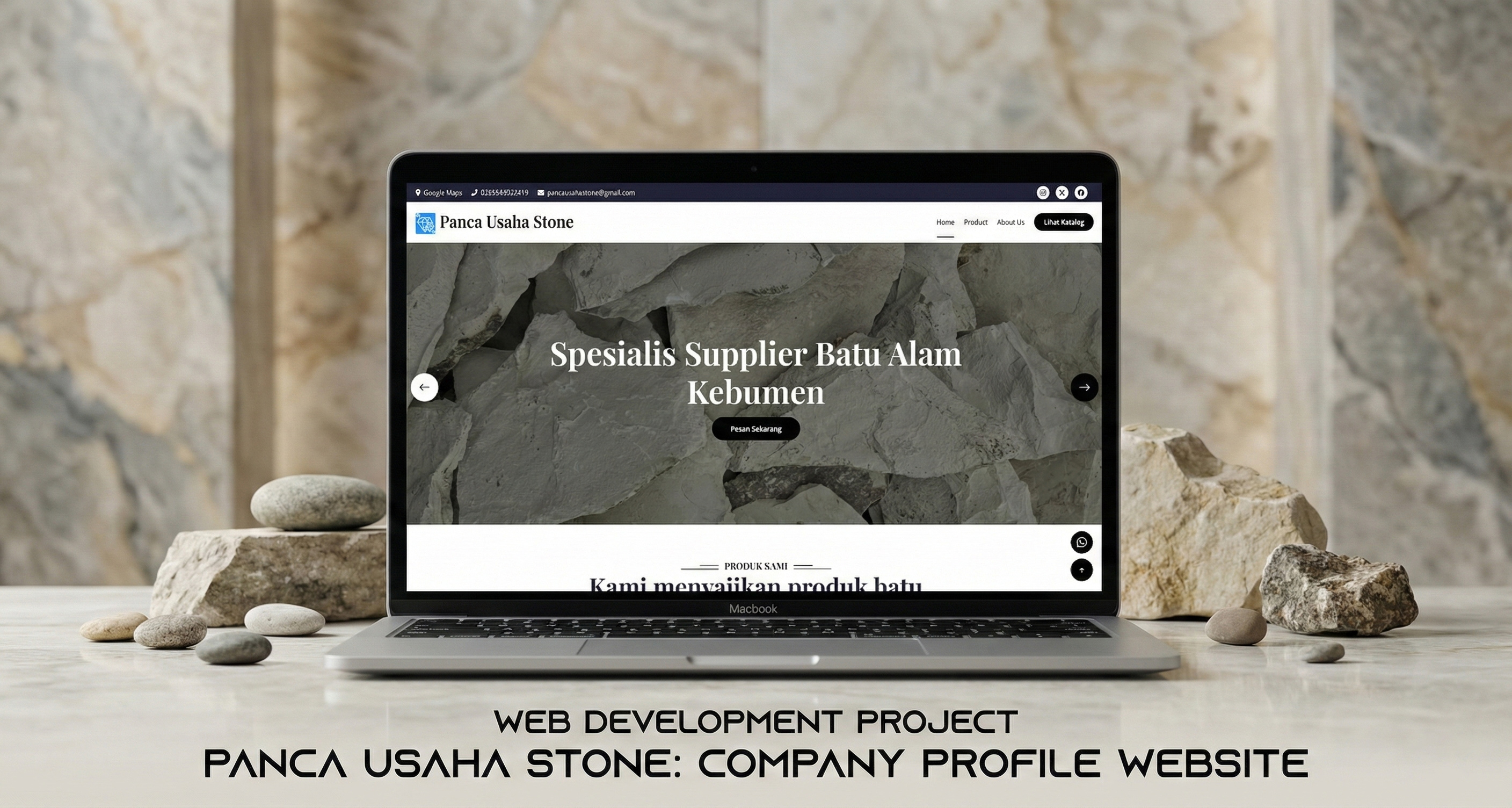
🏪 Stone Store Company Profile - Professional E-Commerce Website
A complete web-based company profile and e-commerce solution specifically designed for stone store businesses. Built with CodeIgniter framework to provide an efficient platform for showcasing stone products, managing inventory, and facilitating customer inquiries through integrated WhatsApp communication.
🎯 Overview
Stone Store Company Profile is a full-stack web application that combines a customer-facing website with a powerful admin dashboard. The system enables stone store businesses to manage their products, categories, and company information while providing customers with an intuitive interface to browse products and connect directly via WhatsApp for orders and inquiries.
Note: This is a completed client project currently in production. Sensitive information such as live URLs, database credentials, and specific configurations have been omitted for client privacy and security.
✨ Key Features
🛍️ Customer Features
1. Product Catalog
- Browse by Category: Organized product display by stone categories
- Product Gallery: High-quality images with gallery view
- Detailed Information: Complete product specifications including:
- Product name and description
- Color variations
- Multiple size options (length, width, height)
- Category classification
- Responsive Design: Mobile-friendly interface for all devices
2. WhatsApp Integration
- Direct Contact: One-click WhatsApp messaging to store owner
- Pre-filled Messages: Auto-generated inquiry messages with product details
- Easy Ordering: Streamlined communication for order placement
- Real-time Response: Direct connection to business WhatsApp number
3. Company Information
- About Us Page: Company history and background
- Contact Information: Address, phone, email, and location
- Google Maps Integration: Embedded map for store location
- Social Media Links: Integration with Facebook, Instagram, Twitter, etc.
4. User Experience
- Fast Loading: Optimized performance for quick page loads
- Clean Interface: Professional design with intuitive navigation
- Search & Filter: Easy product discovery
- Product Images: Multiple images per product with zoom capability
🔐 Admin Features
1. Dashboard Overview
- Statistics Display: Real-time metrics showing:
- Total products count
- Total categories count
- Total applications count
- Quick Access: Direct links to main management sections
- User Profile: Admin profile information display
2. Product Management (CRUD)
- Add Products:
- Product name and description (with CKEditor)
- Category assignment
- Color specification
- Multiple size variants
- Image upload (multiple images per product)
- Edit Products: Update product information and images
- Delete Products: Remove products with cascade deletion of images
- Product List: Paginated product list with search functionality
- Image Preview: Real-time image preview before upload
3. Category Management
- Create Categories: Add new stone categories
- Category Details: Name, description, and category image
- Edit Categories: Update category information
- Delete Categories: Remove categories (with validation)
- Category Display: Organized list with image thumbnails
4. Application Management
- Project Showcase: Display completed projects/applications
- Application Gallery: Multiple images per application
- Description Editor: Rich text editor for detailed descriptions
- Portfolio Management: Showcase work to potential customers
5. Company Settings
- Company Information:
- Company name
- Full address
- Phone number and email
- Logo upload and management
- Logo display toggle
- Google Maps Integration: Embed location map
- Settings Update: Real-time configuration changes
6. Social Media Management
- Add Social Links: Facebook, Instagram, Twitter, LinkedIn, etc.
- Icon Selection: Font Awesome icon integration
- Link Management: Update and delete social media links
- Display Control: Show/hide social links on frontend
7. User Profile Management
- Profile Information:
- First name and last name
- Username and email
- Phone number
- Profile picture upload
- Password Management: Secure password change functionality
- Account Settings: Personal information updates
8. Authentication System
- Secure Login: Username/password authentication
- Session Management: Secure session handling
- Role-Based Access: Admin and guest roles
- Logout Functionality: Secure session termination
🛠️ Technical Features
1. CodeIgniter Framework
- MVC Architecture: Clean separation of concerns
- Active Record: Secure database queries with query builder
- Form Validation: Built-in validation library
- File Upload: Secure file upload handling
- Session Management: Robust session library
2. Database Design
- Relational Structure: Well-designed normalized database
- Foreign Keys: Data integrity with cascade operations
- Timestamps: Automatic created_at and updated_at tracking
- Indexed Queries: Optimized database performance
3. File Management
- Image Upload: Multiple image upload support
- File Validation: Type and size validation
- Storage Organization: Organized file structure
- Image Preview: Client-side preview before upload
4. Security Features
- SQL Injection Prevention: Prepared statements and Active Record
- XSS Protection: Input filtering and output escaping
- CSRF Protection: Cross-Site Request Forgery prevention
- Password Hashing: Secure password storage
- Input Validation: Server-side validation for all forms
5. Docker Support
- Containerization: Docker and Docker Compose ready
- Services: PHP-Apache, MySQL (MariaDB), phpMyAdmin
- Easy Deployment: One-command setup
- Environment Isolation: Consistent development environment
🏗️ System Architecture
Backend Architecture (CodeIgniter 3.x)
MVC Pattern Implementation
Models:
- Product_model: Product CRUD operations
- Category_model: Category management
- User_model: User authentication and management
- Setting_model: Company settings management
- Social_Media_model: Social media links management
- Application_model: Portfolio/application management

Controllers:
- App: Customer-facing pages (home, products, about)
- Admin: Admin dashboard and management
- Auth: Authentication (login, logout)
- Contact_Person: Contact form handling

Views:
- app/: Customer frontend views
- admin/: Admin dashboard views
- _partials/: Shared components (header, footer, sidebar)
Database Design
- Well-structured relational database with proper data organization
- Efficient data relationships between products, categories, and images
- Support for multiple product variations and sizes
- Organized storage for company settings and social media information
- Portfolio/project showcase data management
Data Management Features
- Comprehensive product catalog management
- Category-based product organization
- User authentication and profile management
- Company settings and configuration storage
- Social media links integration
Frontend Architecture
Template Structure
Layout System:
- app/: Customer frontend
  - index.php: Homepage with category showcase
  - product.php: Product listing page
  - slug.php: Category-specific product view
  - about_us.php: Company information
  - error_404.php: Custom 404 page

- admin/: Admin dashboard
  - dashboard.php: Admin overview
  - product.php: Product management
  - category.php: Category management
  - setting.php: Company settings
  - social_media.php: Social links management
  - application.php: Portfolio management
  - profile.php: User profile
  - password.php: Password change

- _partials/: Shared components
  - Customer header, footer, navigation
  - Admin sidebar, header, footer
Technology Stack
Backend
- PHP 7.4+: Server-side scripting language
- CodeIgniter 3.x: Lightweight PHP framework
- MySQL/MariaDB: Relational database management
- Apache: Web server
Frontend
- HTML5 & CSS3: Markup and styling
- Bootstrap 4/5: Responsive framework
- jQuery: JavaScript library
- Font Awesome: Icon library
- CKEditor 5: Rich text editor
- Select2: Enhanced select boxes
- OwlCarousel2: Image carousel
- SweetAlert: Beautiful alert dialogs
Development Tools
- Docker & Docker Compose: Containerization
- Composer: PHP dependency management
- PHPUnit: Unit testing framework
- Git: Version control
📊 User Flow & Workflow
1️⃣ Customer Journey
1. Customer visits website homepage
2. Browse stone categories on homepage
3. Click on category to view products
4. View product details (images, sizes, colors)
5. Click WhatsApp button to inquire/order
6. Redirected to WhatsApp with pre-filled message
7. Chat directly with store owner
8. Complete order via WhatsApp
2️⃣ Admin Workflow - Product Management
1. Login to admin dashboard
2. Navigate to Products section
3. Click "Add Product" button
4. Fill product information:
   - Product name
   - Select category
   - Add description (rich text)
   - Specify color
   - Add size variants
   - Upload product images (multiple)
5. Submit form
6. Product appears on customer website
7. Monitor via dashboard statistics
3️⃣ Admin Workflow - Category Management
1. Navigate to Categories section
2. Click "Add Category"
3. Enter category information:
   - Category name
   - Description
   - Upload category image
4. Save category
5. Assign products to category
6. Category appears on homepage
4️⃣ Admin Workflow - Company Settings
1. Navigate to Settings
2. Update company information:
   - Company name and logo
   - Contact information
   - Address and map location
3. Manage social media links
4. Configure display preferences
5. Save changes
6. Frontend updates automatically
🔐 Security Features
Authentication & Authorization
- Session-Based Auth: Secure session management
- Password Hashing: Bcrypt password encryption
- Login Protection: Rate limiting and brute force prevention
- Role-Based Access: Admin and guest roles
- Middleware Protection: Controller-level access control
Data Security
- SQL Injection Prevention: Active Record and prepared statements
- XSS Protection: Input filtering and output escaping
- CSRF Protection: Form token validation
- File Upload Validation: Type, size, and extension checking
- Input Sanitization: All user inputs sanitized
Database Security
- Foreign Key Constraints: Data integrity enforcement
- Cascade Deletion: Automatic cleanup of related records
- Transaction Support: ACID compliance for critical operations
- Prepared Statements: All queries use parameter binding
🎨 Technical Highlights
Product Management System
- Efficient product data handling with support for multiple images per product
- Automatic size variant management for different product dimensions
- Seamless integration between product catalog and image gallery
- Real-time updates when products are added or modified
WhatsApp Integration
- Smart message generation with product details included
- Direct link to business WhatsApp for instant communication
- Pre-formatted inquiry messages for better customer experience
- Mobile-optimized contact flow
Image Upload & Validation
- Secure file upload system with multiple format support (JPG, PNG, GIF)
- Automatic file size validation (max 2MB per image)
- Organized storage structure for easy management
- Image preview functionality before upload
Smart Routing System
- SEO-friendly URL structure for products and categories
- Custom 404 error page handling
- Clean and descriptive URLs for better user experience
- Automatic slug generation from category names
📈 Performance Optimizations
Backend Optimizations
- Query Optimization: Efficient JOIN queries with indexes
- Pagination: Limited data loading with LIMIT/OFFSET
- Eager Loading: JOIN queries to prevent N+1 problems
- Query Caching: Cache frequently accessed data
- Session Optimization: Efficient session storage
Frontend Optimizations
- Image Optimization: Compressed images for faster loading
- CSS/JS Minification: Reduced file sizes
- Lazy Loading: Deferred image loading
- CDN Integration: External library loading from CDN
- Browser Caching: Configured cache headers
Database Optimizations
- Indexed Columns: Foreign keys and frequently queried columns
- Normalized Structure: Efficient data organization
- Connection Pooling: Reused database connections
- Query Builder: Optimized query generation
🚀 Deployment
Local Development Setup
Manual Installation
# Setup project directory
# Note: Source code available upon request for portfolio review

# Install PHP dependencies
composer install

# Configure database
# Edit application/config/database.php with your credentials
# Import the database schema
mysql -u your_username -p your_database < application/database/database.sql

# Configure application
# Edit application/config/config.php
# Set base_url and other configurations

# Set permissions
chmod -R 755 application/cache
chmod -R 755 application/logs
chmod -R 755 assets/img

# Start local server (or use XAMPP/WAMP)
php -S localhost:8000
Docker Installation
# Navigate to project directory
cd company-profile-stone-store

# Start Docker containers
docker-compose up -d

# Access application
# Website: http://localhost
# Admin dashboard: http://localhost/admin

# View logs
docker-compose logs -f

# Stop containers
docker-compose down
Production Deployment
For production deployment, the application requires:
- Web server configuration (Apache/Nginx)
- PHP 7.4+ with required extensions
- MySQL database setup
- Proper file permissions for security
- Environment configuration for production mode
Note: Production instance is currently deployed and maintained for client.
Docker Deployment
The application includes Docker support for easy local development:
- Easy Setup: One-command deployment with Docker Compose
- Isolated Environment: Consistent development environment
- Multiple Services: Integrated web server, database, and admin tools
- Quick Start: Get the application running in minutes for testing
Manual Testing Checklist
- ✅ User authentication flow
- ✅ Product CRUD operations
- ✅ Category management
- ✅ Image upload functionality
- ✅ WhatsApp link generation
- ✅ Form validation
- ✅ Responsive design testing
- ✅ Cross-browser compatibility
📱 Browser Compatibility
- ✅ Chrome 90+ (Recommended)
- ✅ Firefox 88+
- ✅ Safari 14+
- ✅ Edge 90+
- ✅ Opera 76+
- ⚠️ Internet Explorer 11 (Limited support)
🏆 Key Achievements
Technical Excellence
- ✅ Clean MVC architecture implementation
- ✅ Secure authentication system
- ✅ Efficient database design with relationships
- ✅ Docker containerization for easy deployment
- ✅ Comprehensive unit test coverage
- ✅ Responsive design for all devices
User Experience
- ✅ Intuitive admin dashboard
- ✅ Easy product browsing for customers
- ✅ One-click WhatsApp integration
- ✅ Fast page load times
- ✅ Mobile-friendly interface
Code Quality
- ✅ SOLID principles applied
- ✅ DRY (Don't Repeat Yourself) code
- ✅ Well-documented codebase
- ✅ Consistent naming conventions
- ✅ Modular and maintainable structure
💡 Lessons Learned
Technical Insights
- CodeIgniter Best Practices: Learned efficient use of CodeIgniter's Active Record and built-in libraries
- Image Upload Handling: Implemented secure multi-image upload with validation
- Database Design: Created normalized database structure with proper relationships
- Docker Integration: Containerized application for consistent environments
Development Process
- MVC Pattern: Understanding separation of concerns in web applications
- Security First: Implementing security measures from the beginning
- User-Centric Design: Focusing on ease of use for both admin and customers
- Testing Importance: Unit tests catch bugs early in development
🔮 Future Enhancements
Phase 1 Features (Planned)
- Online Payment: Integration with payment gateways
- Shopping Cart: Full e-commerce functionality
- Order Management: Complete order processing system
- Email Notifications: Automated email system
- Customer Accounts: User registration and login
- Product Reviews: Customer feedback system
Phase 2 Features (Planned)
- Advanced Search: Full-text search with filters
- Inventory Management: Stock tracking system
- Sales Reports: Analytics and reporting dashboard
- Multiple Languages: Indonesian and English support
- API Development: RESTful API for mobile app
- SEO Optimization: Meta tags and sitemap generation
Technical Improvements
- Laravel Migration: Upgrade to Laravel framework
- Vue.js Integration: Modern frontend framework
- Real-time Features: WebSocket for live updates
- Progressive Web App: PWA capabilities
- CI/CD Pipeline: Automated testing and deployment
📄 Data Organization
System Components
The application manages various types of data efficiently:
- User Management: Admin accounts with profile information and secure authentication
- Product Catalog: Comprehensive product information with categories, descriptions, and specifications
- Product Gallery: Multiple images per product with organized storage
- Size Variants: Different dimensions for each product (length, width, height)
- Company Settings: Business information, contact details, and branding
- Portfolio: Project showcase with descriptions and image galleries
- Social Media: Links to various social media platforms
All data is organized with automatic timestamps and proper relationships for data integrity.
🤝 Acknowledgments
This project is built with amazing open-source technologies:
- CodeIgniter Framework - Elegant PHP framework
- Bootstrap - Responsive CSS framework
- jQuery - JavaScript library
- Font Awesome - Icon library
- CKEditor - Rich text editor
- Docker - Containerization platform
📞 Contact & Support
For portfolio inquiries or collaboration:
- Email: fauzannurhidayat8@gmail.com
- LinkedIn: fznh-dev
- GitHub: @fauzan05
Note: Source code and live demo available upon request for portfolio review purposes.
📄 License
This project is licensed under the MIT License - see the LICENSE file for details.
Built with ❤️ for stone store businesses
Making stone product showcasing more professional and accessible